check it out from www.sidefx.com too

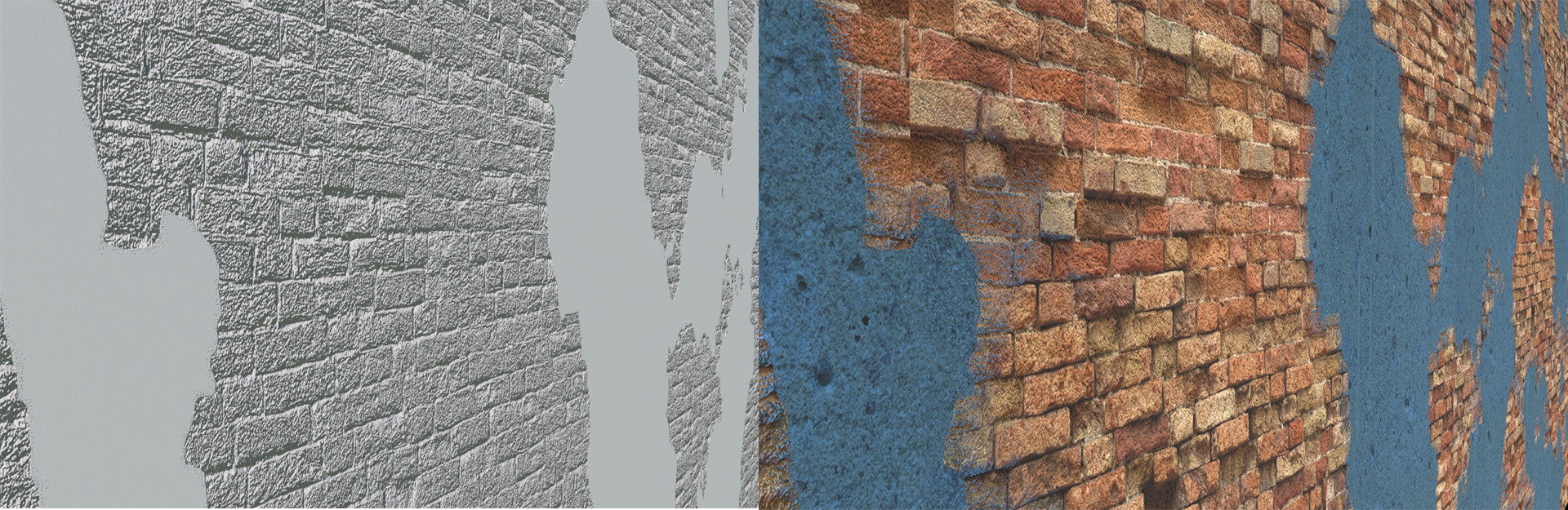
I was playing with Houdini materials and were doing R&D , discovered very easy material setup that we can create material that look used, old, can add rust or anything to our creativity. There are few renders that i can show how it look like.

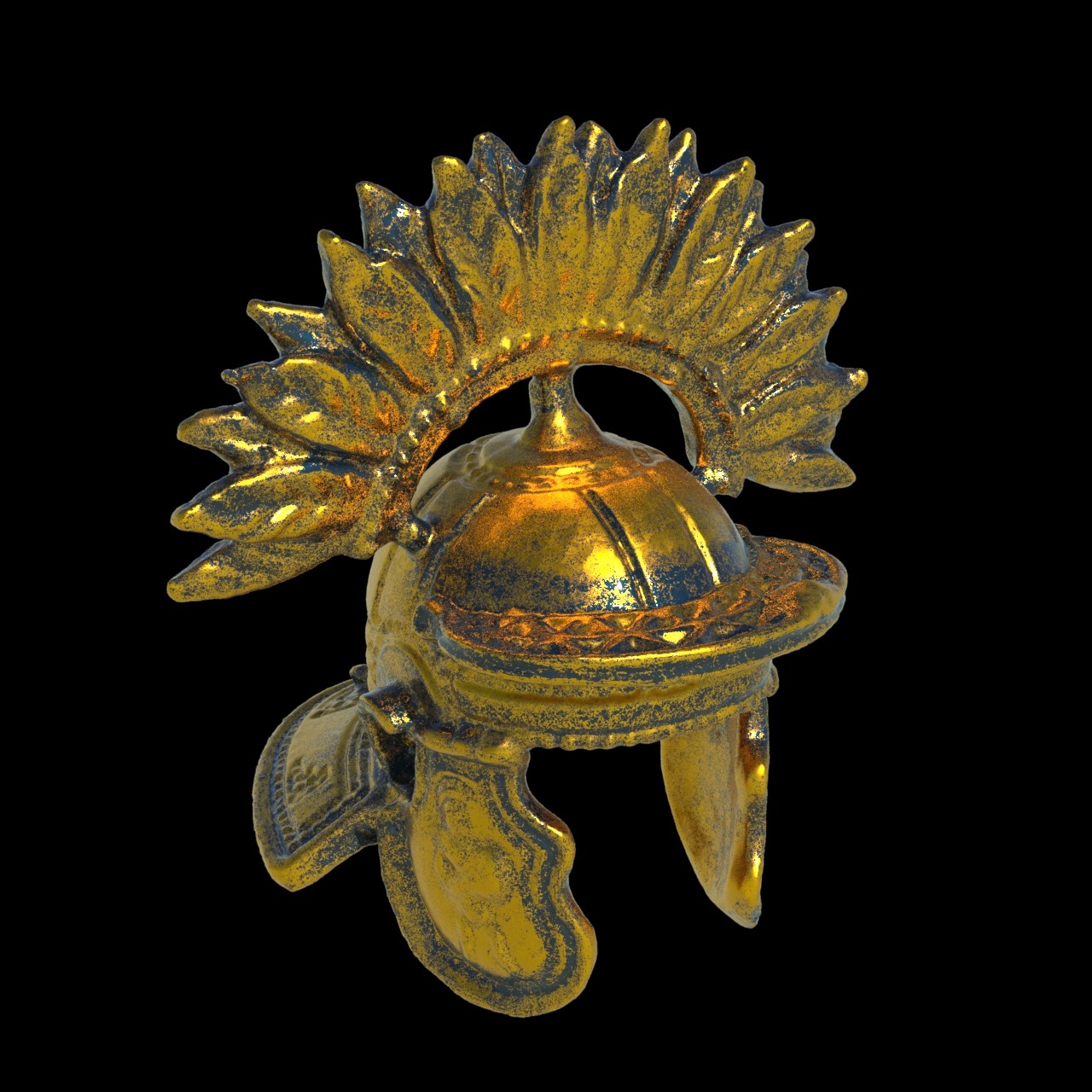

There is setup on the ground, very easy , simple , easy to use.
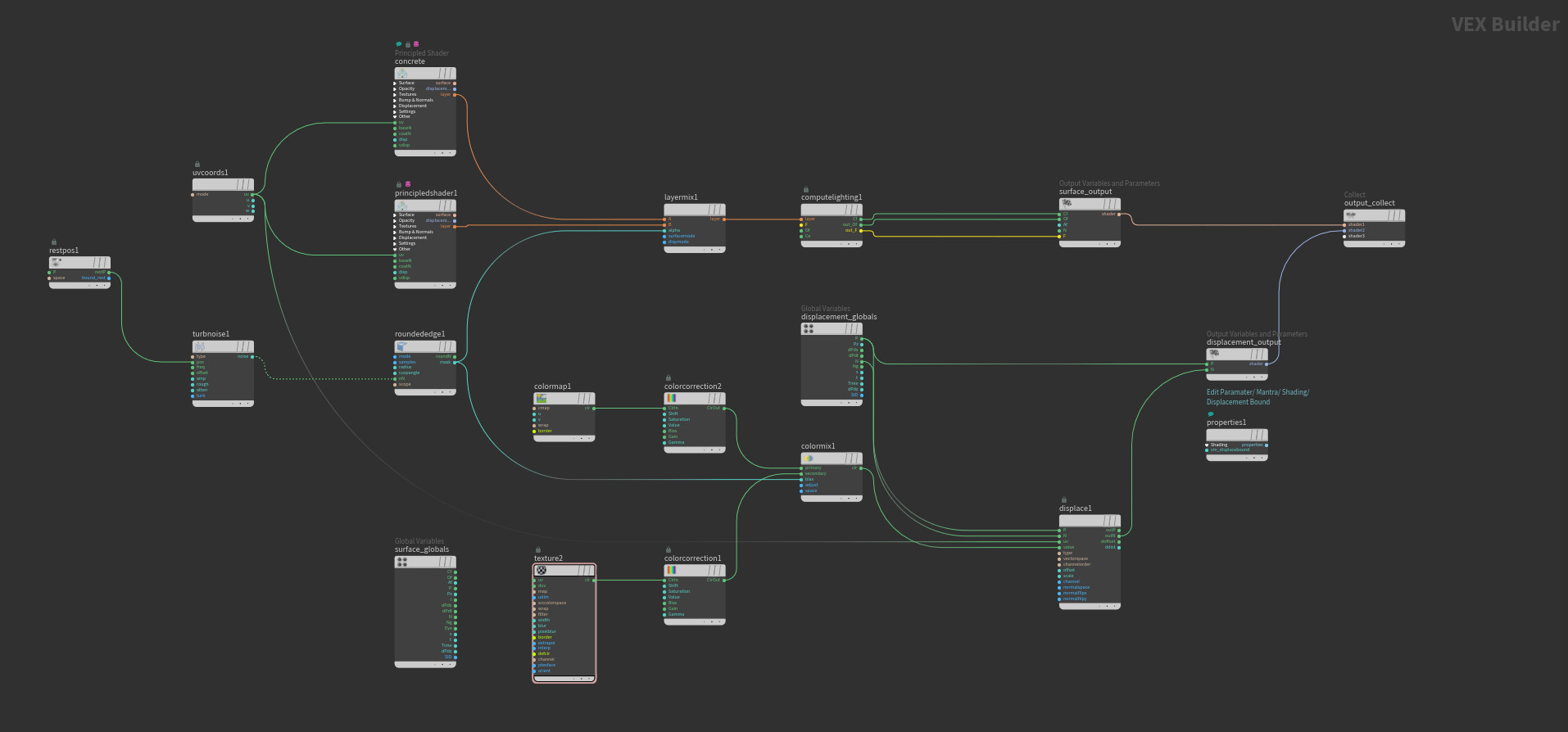
First of all there are two different materials we need. I picked car paint and brushed metal shaders to combine. There is a mix layer sop that mix two different layers to each other or we can use more layer mix to mix many layers to each other or create a material the way we wanna see. On layer mix sop there is alpha setion , so that section is kind of trick because that section let us to set our mix.
I have used rounded edge sop to select edges and radius it with Turbulent noise and played little bit with my noise. For noise we should use Rest position sop also. On same method we can play with Discplament also.
After layer mix node we should add Compute Lighthing node and connect layers to it and geve all feed to Cf , Of and F which Channels, Color, Alpha and then we can output it. I have used parameters for Noise becasuse of i wanted to try if i can make it timelapse. Just becuase we can not key frame it inside the VEX Builder, we should use parameters to give a keyframe animation.

For displacement i needed to add couple more nodes to achive my result. First of all i comped shader1 and shader2 mix out in Houdini and used that map for displacementtexture node. Then connect Position and Normal outs to displacement output and connect that to collect. BUT, when you render like that , you will not achive the clean result.
After trying few more things i discovered another thing for clean result. I added properties node and conect that to Output Collect. For properties node click Edit Parameters from Parametes section and enabled Discplacement Bound from Render Properties / Mantra / Shading section. And Displacement Bound should be 1 , so it comes 0 as a default and dont forget to change it. With this method you can have all procedural shader with procedural displacement also and useful with game engines. But for game engines dont forget to Bake texture first.